Kate Coin
Rewards for what you already do


How to exchange Kate Coins for a voucher
1. Earn Kate Coins
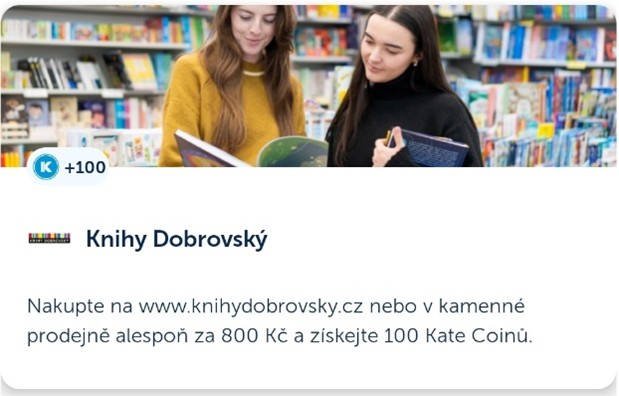
Pay with our card at a partner like Knihy Dobrovský. As soon as we process the payment, you'll receive 100 KTC.
2. Choose your voucher
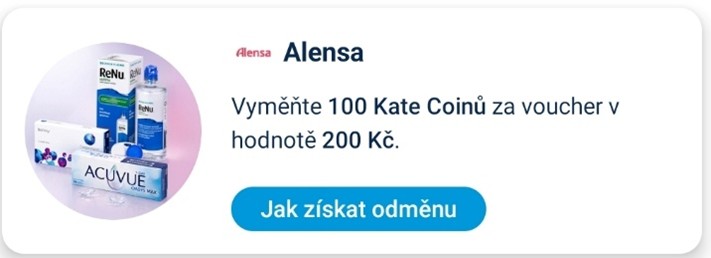
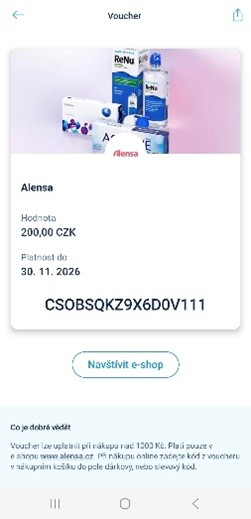
In the ČSOB Smart app, go to the Kate Coin section and open the Rewards tab. From there, select the voucher you'd like to use your Kate Coins on. For example:
3. Get your voucher
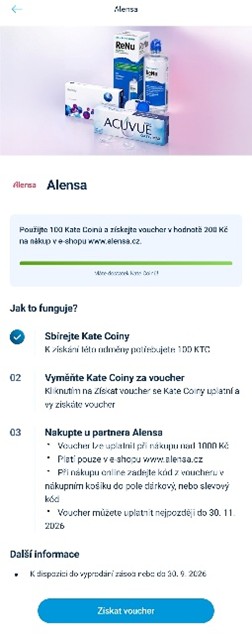
Simply tap 'Get voucher'. You'll then find it ready to use in the Vouchers tab. How to redeem it is always described in the offer details and on the voucher itself.
Or if you want money back into your account for your Kate Coins
1. Earn Kate Coins
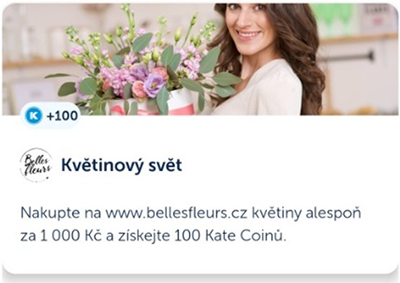
Pay with our card at a partner like Belles Fleurs. As soon as we post the payment, you’ll receive 100 KTC.
2. Browse rewards
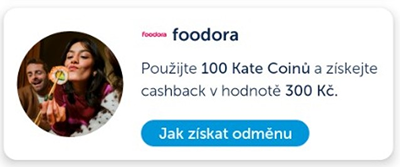
Open the ČSOB Smart app and check the offers in the Kate Coin section. For example, you might choose this one:
3. Pay with our card
Pay for your foodora order using our card.
4. Claim your reward
Just a few taps in the ČSOB Smart app: Kate Coin → Rewards → Claim reward.
5. Receive your money
We’ll deduct 100 KTC and 300 CZK will be paid into your current account.
Your Kate Coin overview is one tap away
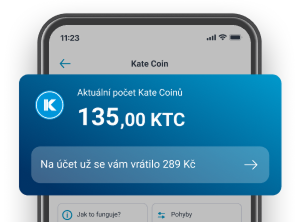
One tap on the app's home screen and you can see everything about your Kate Coins.
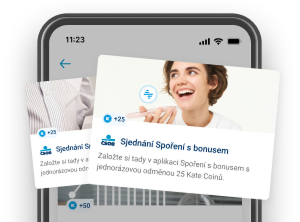
How to earn Kate Coins
There are plenty of ways to collect them. Just browse the Earn section.
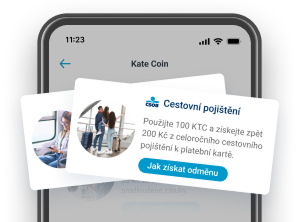
How to use Kate Coins
In the Rewards section, you’ll find various ways to use your coins.
Shop. Earn. And at selected stores, use them on the spot. For example, here:
What else is good to know?



Kate, your virtual assistant, can show you the latest rewards or remind you of your Kate Coin balance at any time in the mobile app.
Frequently Asked Questions
What is Kate Coin and how does it work?
Kate Coin is our rewards programme available in the ČSOB Smart app. After logging in, just tap the Kate Coin tile on the home screen. You’ll immediately see an overview of your Kate Coins (KTC).
Please note: Kate Coins are not a cryptocurrency or "electronic money" as defined by law.
What are Kate Coins?
Kate Coins are digital 'coins' (KTC) that we reward you with for using our services or paying with our card at selected stores. You can then exchange your Kate Coins for money back into your account or a voucher.
What are the conditions for using Kate Coin?
Kate Coin is only available in the ČSOB Smart app. It is open to all personal customers aged 18 or over who have ČSOB Identity and have given their consent for their personal data to be used for marketing purposes.
If you have withdrawn this consent in the past but want to start using Kate Coins, just tap the Kate Coin tile in the app and you'll be prompted to give your consent again.
What is the value of a Kate Coin?
After using your Kate Coins, you can receive money back into your account or a voucher. 1 Kate Coin is always worth at least 1 CZK. For some rewards, it could be more. It depends on the specific offer in the ČSOB Smart app.
I’m a customer but I don’t have a current account. Can I use Kate Coin?
You don’t need a current account to earn Kate Coins. However, cash rewards can only be paid into a current account held with us. If you use the ČSOB Smart app without an account and want to claim a reward, you can open your account directly in the app. And you'll get Kate Coins for doing so!
Where can I see my balance?
Your current Kate Coin balance is shown on the Kate Coin tile in ČSOB Smart. Please note it may take a moment for the balance to update.
How long does it take for Kate Coins to be credited?
Kate Coins are credited once you've met the conditions. For purchases at partner stores, this happens once the payment has been posted, which is usually within two working days.
Taking longer than expected? Email us at infoKTC@csob.cz
How do vouchers work?
You can exchange your Kate Coins for a voucher for a selected store. How to redeem it is always described in the offer and on the voucher itself.
What if I forget to activate an offer to earn Kate Coins?
Unfortunately, Kate Coins won’t be credited without activating the offer. However, you can activate it for future purchases and earn Kate Coins the next time you shop.
How do I know if an offer needs to be activated?
Look for the Activate button on the offer. Once you tap it, the offer becomes active and you can start earning Kate Coins.
How do I exchange Kate Coins for a voucher?
- Select a voucher in the ČSOB Smart app in the Kate Coin section, under the Rewards tab
- Once you have enough Kate Coins, exchange them for a voucher by tapping the 'Get voucher' button
- Your Kate Coins will be used and you'll find your voucher ready in the Vouchers tab
Where do I find my voucher after claiming it?
After tapping 'Get voucher', you'll find your voucher in the Vouchers tab.
How do I redeem my voucher?
You'll see how to redeem it when you tap on it; whether you're still choosing a reward or have already claimed your voucher.
When does my voucher expire?
Simply tap on the voucher and its expiry date will appear straight away.
What if I don't redeem my voucher in time?
If you don't redeem your voucher in time, it will unfortunately expire. That would be a shame — you'd also lose the Kate Coins you exchanged it for.
Can I cancel a voucher exchange?
No. Once you've exchanged your Kate Coins for a voucher, you can't get them back.
What should I do if my voucher isn't working?
We're sorry to hear that. The quickest help will come from the partner store where you want to redeem the voucher — they can verify the validity, terms and the code itself. Before contacting them, please check the expiry date and that you've entered the code correctly.
How can I earn Kate Coins?
You can earn them for using our services or shopping with selected partners. You can find full details of how to earn them under the Earn tab in the Kate Coin section of the ČSOB Smart app.
How do I use my Kate Coins?
In the ČSOB Smart app, tap the Kate Coin tile and go to the Rewards tab. You'll see all the rewards you can use your Kate Coins on.
How long will it take to get my money?
Have you made your purchase? Once the payment is processed, you can easily claim your reward in the ČSOB Smart app (Kate Coin → Rewards) by tapping “Claim reward.” The money is usually credited to your account within a few hours.
Taking longer than expected? Email us at infoKTC@csob.cz.
Are Kate Coins transferable? Can I give them to someone else?
No, Kate Coins cannot be transferred, gifted, or sent to anyone else.
Can I buy more Kate Coins if I’m short for an offer?
No, you cannot purchase Kate Coins. You can only earn them through banking with us or shopping at partners.
Can I set Kate Coins to redeem automatically?
No. You'll need to claim each reward yourself once the conditions are met.
Some rewards offer better value for your Kate Coins, so we leave it up to you to decide how to use them.
What happens to coins I earned in the previous version?
With the launch of the new programme, you can exchange your existing Kate Coins for rewards from us or any partner store.
I turned off the Kate Coin programme. How do I get it back?
You can reactivate it in the ČSOB Smart app. On the home screen, go to World of Benefits → Earn Kate Coins.
How do I turn off Kate Coin?
We’re sorry the programme isn’t for you. You can deactivate it by emailing your request to infoKTC@csob.cz.
How do I make a complaint?
If the wrong number of Kate Coins was credited, a reward wasn't credited to your current account, or you're unhappy with anything, please let us know at infoKTC@csob.cz.
To help us investigate, please include:
A screenshot of the offer in question (please hide your balances first using the eye icon in the top right)
- Your Smart app version (found in Menu → ČSOB Smart → About the app)
- Your phone's operating system version (usually found in your phone's settings)
- The date you tried to use the offer
I have another question. Who can I contact?
The easiest way is to email us at infoKTC@csob.cz.